Team Academy/Microsoft Copilot - AI Business Practitioner Certified Training Program

  • $495

Microsoft Copilot - AI Business Practitioner Certified Training Program

100 % Instructor Guided Training Program
Apply Copilot in the Business Lifecycle
Explore Real-World Copilot Case Studies in Business Analysis

Target Audience

Business professionals working in 

  • Project Management

  • Risk Management

  • Financial Planning and Forecasting

  • Strategy & Governance

  • Innovation & Operational Support

  • Staff & other members

Course Features

✅ Live Instructor Led Coaching Sessions : Via Zoom or Face to Face at
our premises.

✅ Lifetime LMS Access: Get Free Lifelong LMS Access with 100 + Downloadable Resources for AI Business Process Development.

✅ Comprehensive Curriculum: From beginner to advanced topics, master every aspect of Microsoft Copilot.

Become a certified practitioner ready to deploy Copilot and automation frameworks at scale.

Get Microsoft AI 900 Certification ,Cost : 370 Qar ( Includes Free Exam Application Support).

✅ Community Engagement: Join a network of learners and professionals to share insights and collaborate.

Mr.Dinesh R M

Program Mentor - Team Academy

Certified Microsoft Trainer

Specialized in Applying AI, Tech & Power BI For Enterprise Project & Portfolio Management, Enterprise Risk Management - ISO 31000, Enterprise Financial Modelling & Aviation Commercial Reporting

Authorized Training Partner Instructor - PMI

Microsoft Certified Trainer - PL 300 & Azure Open AI Services

CompTIA CTT+ Certified Trainer

Technical Certifications : PL-300, IBM - Gen AI, AI - 900, Design Thinking Practitioner

Leadership Accolades : MBA, PMP, ITIL,

Lesson Plan

Getting Started

View Copilot Program Brochure
Preview
Access Demo Class Recording
Preview
Join a Live Demo Class
Preview
View Copilot Training Calendar
Preview
Subscribe to copilot for your personal account
Preview
Enroll Now
Preview
Access Student Study Kit

Prompt Engineering

Prompts Library for MS Office
Prompt Engineering Formula
Prompt Engineering - Comprehensive Guide
Prompt Engineering - PMI
Prompt Engineering for Business users
Descriptive Prompts
Instructional Prompts
Creative Prompts
Contextual Prompting
Persona Based Prompts
300 personas

Microsoft Copilot - AI Foundations and Awareness Workshop - Free Demo Class

Understand the basics of AI, generative AI models and Copilot in business
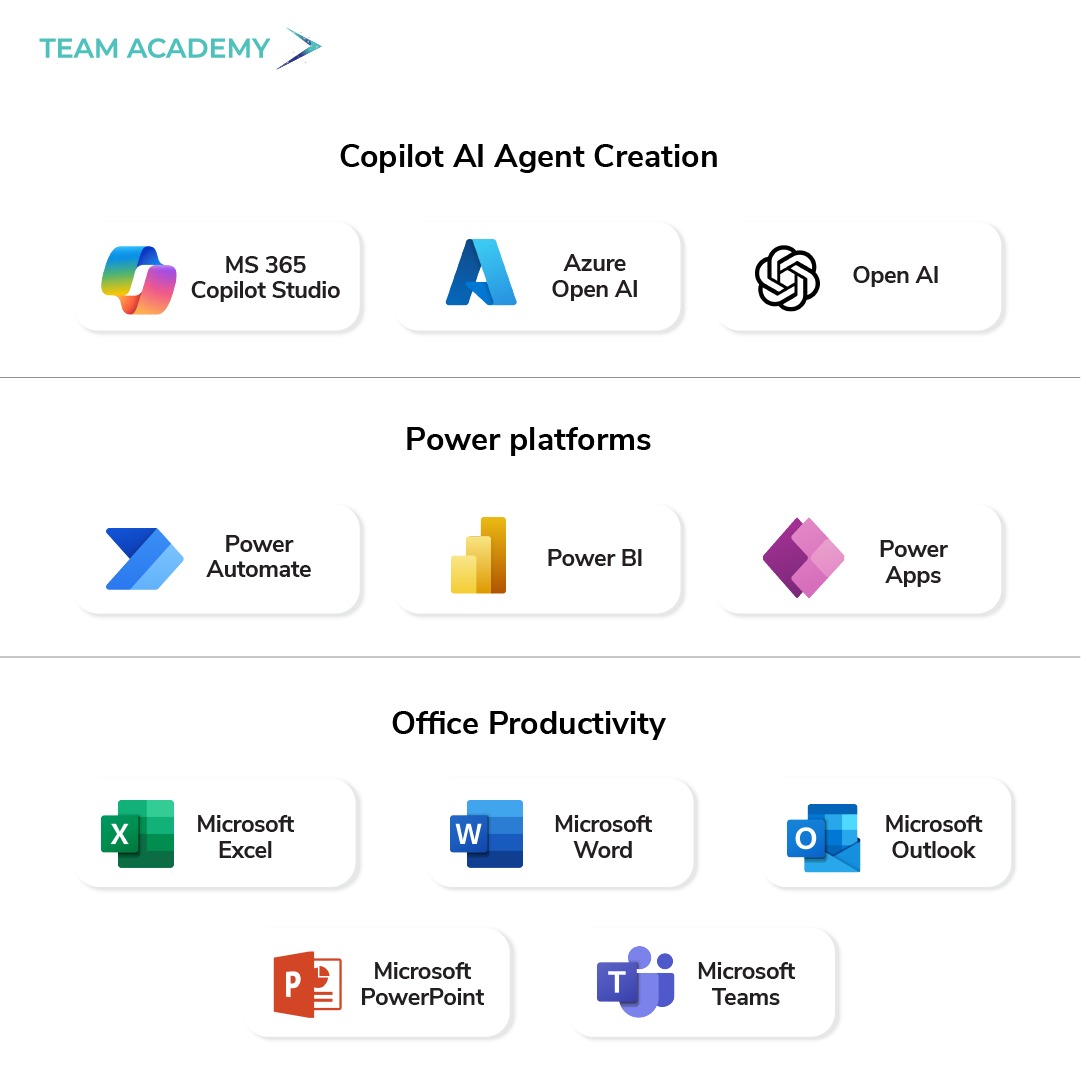
Discover use case for Microsoft Copilot in Word, Excel, PowerPoint , Outlook & one drive
Discover use case for Microsoft Copilot for Enterprise Applications - SharePoint, Power Apps, Power Automate

Copilot for Excel

Work with a Project Management Plan – Using App Skills
Use machine learning with Copilot Chat to predict cost and schedule overruns from a Project Management Plan (PMP)
Prepare a Project Management Dashboard based on your PMP – Visualize each KPIs and Metrics
Produce Ratios from a Balance Sheet
Generate Visual Insights on this Balance sheet
Consolidate data from multiple revenue sheets
Revenue Analysis – Visualize data
Predict Revenue using Machine Learning Models
Perform Qualitative Risk Analysis
Produce Heat Maps using Python
Apply Decision Tree Modelling on Risk Analysis
Generate Mitigation Strategies for Identified Risks
Introducing Agent Mode in Microsoft Excel

Use Copilot for Office Productivity apps

Automate document creation and reports in Word
Build impactful presentations faster in PowerPoint
Manage emails and scheduling efficiently with Outlook
Organize and share files seamlessly in OneDrive
Work with Microsoft Teams & Copilot
Copilot for Office Productivity

Deep Dive into Persona Based prompting & Develop Custom Agents using Copilot Studio & GPTs

Create and organize prompt business libraries
Develop customized AI Agent using Copilot Studio
Develop custom GPT-powered agents
Understand role-specific prompting for analysts, managers, and strategists
Test and refine agents based on feedback and performance

Perform Qualitative Analysis for Risk Assessment, Sentiment Analysis, and Prioritization of Strategic Task list

Identify and prioritize strategic initiatives and tasks
Use prompts to automate analysis workflows

Apply Simple Machine Learning Models for Predictive Modelling and forecasting

Fundamentals of predictive analytics and forecasting - including Project Management plan, Forecasting, Risk Assessment, Operational Planning, and Financial Modelling
Create financial models for planning and budgeting

Use Copilot for Enterprise AI Applications - SharePoint, Power Apps and Power Automate

Automate business workflows with Power Automate
Use Copilot to Build Power Apps
Visualize and share data insights in Power BI using Copilot
Use Copilot for building SharePoint Pages
Connect tools using power automate for seamless enterprise collaboration

Deep Dive into Copilot AI Agentic Framework and Deployment for business process - Case studies

Address governance, compliance, and scalability
Understand change management and adoption challenges
Analyze business impact through practical case studies
Measure and improve agent performance

AI Business Practitioner Initiatives & Roles for Enterprise Deployment - AI Project Management

Plan and manage AI-driven business projects
Develop roadmaps for AI and automation adoption

Microsoft Copilot - Cohort 18

Class Video 1: Microsoft Copilot Integration and Applications
Class Video 2: Microsoft Copilot Excel Integration
Class Video 3: Excel Functionalities and Copilot Features
Class Video 4: AI agents, Personas and Various Tools for Document Management and Business applications
Class Video 5: Microsoft 365 Copilot Training Overview
Class Video 6: Details about Machine Learning Models
Class Video 7: Recap - Microsoft Office Personal Productivity Apps
Class Video 8: Enterprise LLM Data Processing Capabilities
Class Video 9: Customizing AI Agents with Copilot
Class Video 10: AI Datasets and Prompt Engineering
Class Video 11: AI Certifications and Microsoft Copilot

Microsoft Copilot - Cohort 19

Class Video 1: AI Training for Practical Implementation and Microsoft Copilot subscriptions
Class Video 2: Basic Prompt Engineering and Exploring the Various LLM Capabilities and Features
Class Video 3: Microsoft Office Personal Productivity Apps
Class Video 4: Copilot for Office Productivity - Webinar
Class Video 5: Microsoft 365 Copilot Access Issues
Class Video 6: Customizing AI Agents with Copilot
Class Video 7: AI Datasets and Prompt Engineering
Class Video 8: AI Certifications and Microsoft Copilot

Case Studies, Q&A, Presentation & Internship

Learn from industry case studies and success stories
Participate in live Q&A with trainers and practitioners
Build and present your internship project
Develop an agent, personas, prompt library and agentic framework
Showcase your solution for a real business process

Microsoft Copilot Agent - Development & Deployment

Get started working with environments
Create agents and work with the Microsoft Copilot Studio interface
Create topics
Enhancing productivity with Generative AI
Test your agents
Publish agents and analyze performance
Copilot Studio - Login details
Copilot Agent - Risk Analyst Agent
Copilot Agent - Lesson Plan Generator
Copilot Agent - HR Agent
PPT - Get started with Microsoft Copilot Studio

Microsoft Copilot FAQs

Is this program 100 % Instructor Guided ?

Yes, the Power BI program is fully guided by Microsoft Certified Instructors with more than 15 years of experience in Business Intelligence and Data Analytics. All our sessions are conducted via Online Video Conferencing Platforms, offering an immersive learning experience. Upon enrollment, students are granted a 120-day access pass to attend any scheduled program. Additionally, participants receive instant and lifelong access to our Learning Management System (LMS) for ongoing education and resource access.

How do i find out the schedule for this program

The course schedule is prominently displayed in the designated section above, carefully adjusted to your local time zone. You can easily navigate the calendar to find the specific dates and times for the program offerings. Should you have any inquiries or require further details, our course counselors are always available to assist. Feel free to reach out to us through the "Contact Us" link provided.

How does Microsoft Copilot work?

Copilot leverages advanced machine learning and natural language processing to understand user queries, analyze context, and generate relevant content or actions.

What is LMS & What does it contain?

The Learning Management System (LMS) is a comprehensive platform where students can access course materials, study guides, sample Power BI dashboards, and recorded video lectures. We offer instant and lifelong access to our LMS, which is loaded with valuable resources including powerful pre-built dashboards and extensive data sets for practice, ensuring a rich learning experience in data visualization and business analytics.

What applications support Microsoft Copilot?

As of now, Microsoft Copilot is integrated into various Microsoft 365 applications, including Word, Excel, PowerPoint, Outlook, and more.

Can I customize the suggestions from Copilot?

Users can often adjust settings or preferences within the applications to refine how Copilot interacts or the types of suggestions it provides.